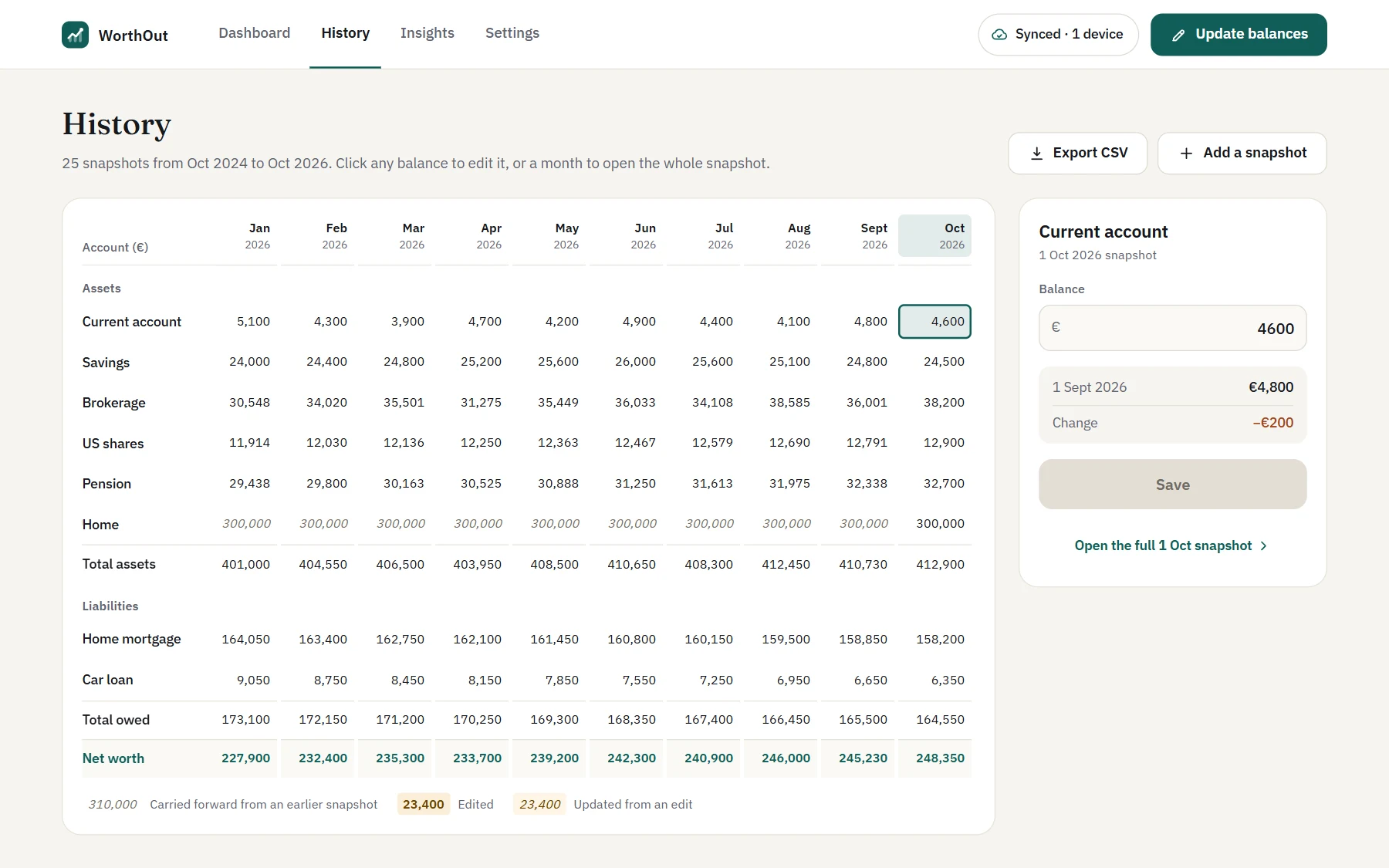
Every month on record
Every balance you’ve entered, month by month, with the totals in your base currency. Correct any of them, or add a month you missed.
WorthOut, a private net worth tracker, is in testing. Testers can enter the password to see the site.
Private net worth tracker
See everything you own and owe as one number, and watch it change over time. You enter your balances once a month; WorthOut encrypts them on your device and keeps them in your own cloud storage. No bank logins, and no account to create.
Free to use. Pro is €9.99, once.
How it works
WorthOut is built around a monthly check-in rather than a bank connection, so you see your whole picture without handing anyone your logins.
Savings, investments, your home and your pension, and what you owe on a mortgage, a loan or a card. In any currency.
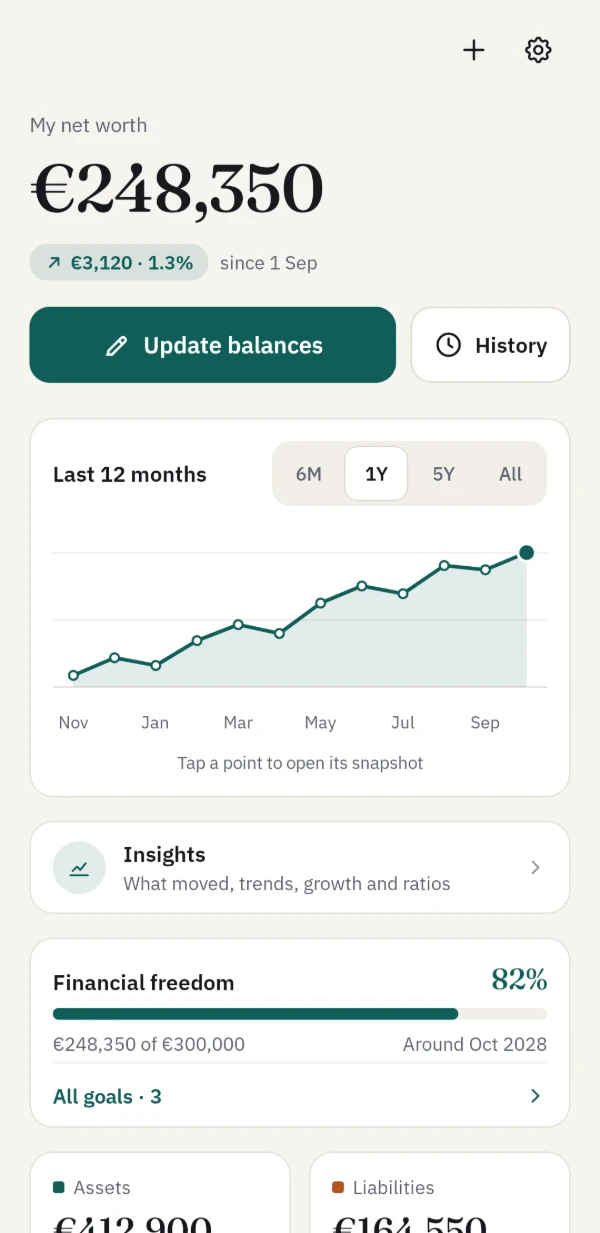
Once a month, type in what each account holds. Anything you leave blank carries forward from last time, and your phone can remind you on the day you choose.
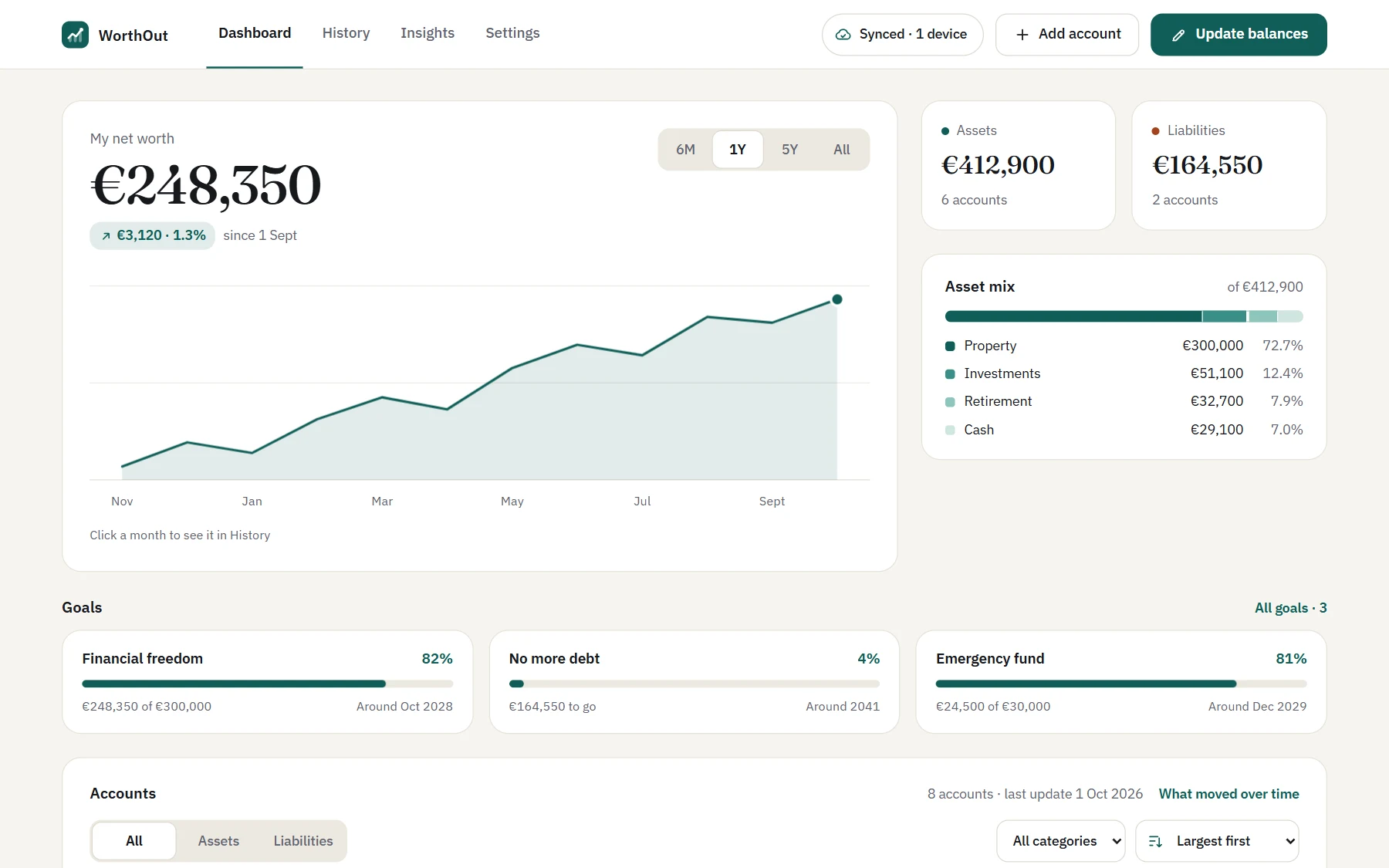
Your net worth, its chart and every account’s history, with what moved it each month.
Private by design
WorthOut has no server holding your data and no accounts to sign up for. Everything is encrypted on your device, with a passphrase only you know, before it’s saved anywhere.
See exactly who sees whatBalances, account names and notes are encrypted before they’re saved anywhere, with a key only your passphrase can open.
Your vault is a folder of encrypted files in your Google Drive. WorthOut can only see the files it made there.
There’s nothing to sign up for and no bank connection to trust. You type in your balances yourself.
A recovery key, saved when you start, opens your vault if you forget your passphrase. We can’t reset either, by design.
Features
Track your balances, see what changed and plan ahead, on your phone, in your browser or on your desktop.
Every balance you’ve entered, month by month, with the totals in your base currency. Correct any of them, or add a month you missed.
Your net worth, its chart or a goal on your Android home screen.


Type in what each account holds today. Anything you leave blank carries forward, and accounts in other currencies get the day’s exchange rate.
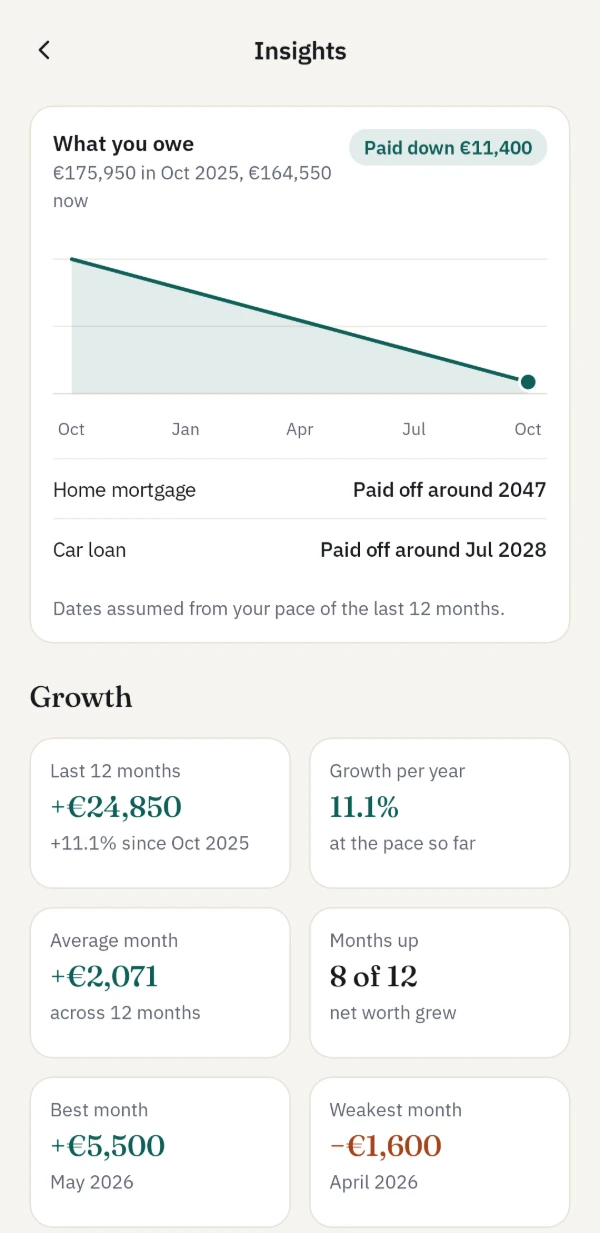
What moved your net worth, how much came from exchange rates, and how your debts, trends, growth and ratios are going.
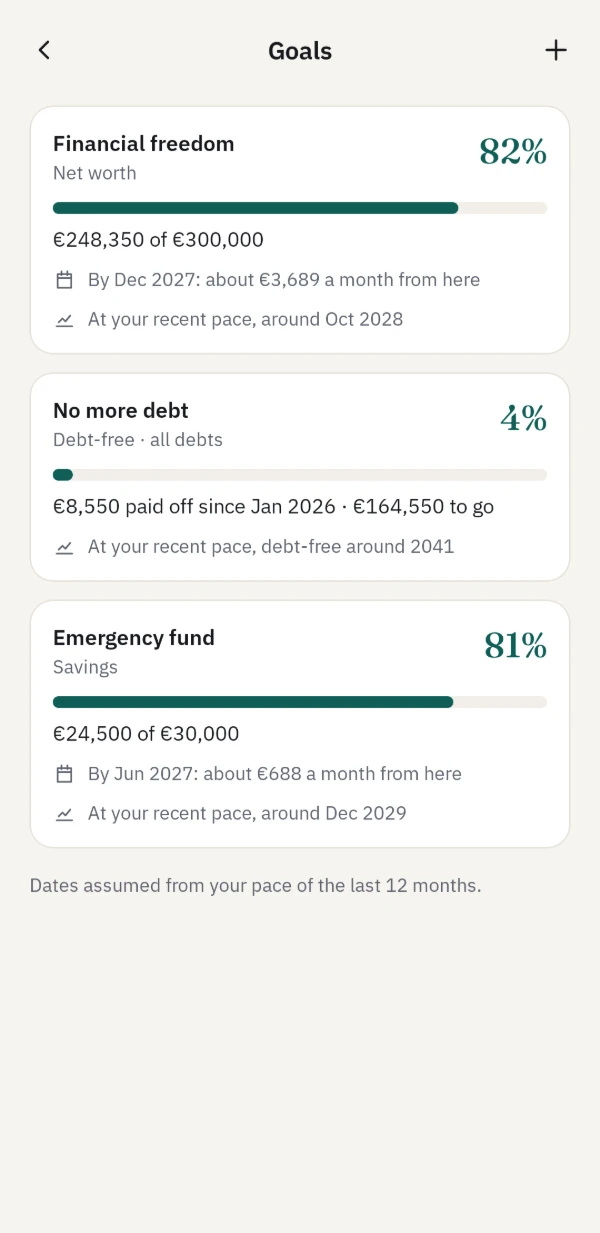
A target for your net worth, an account or paying off a debt, with what it takes each month and when you’ll get there at your pace.
Windows, Mac and Linux
Open the web app in Chrome or Edge and choose Install as an app in Settings › About. WorthOut then opens in its own window, from your Start menu, Dock or app launcher, and works offline like the phone app.
Open the web app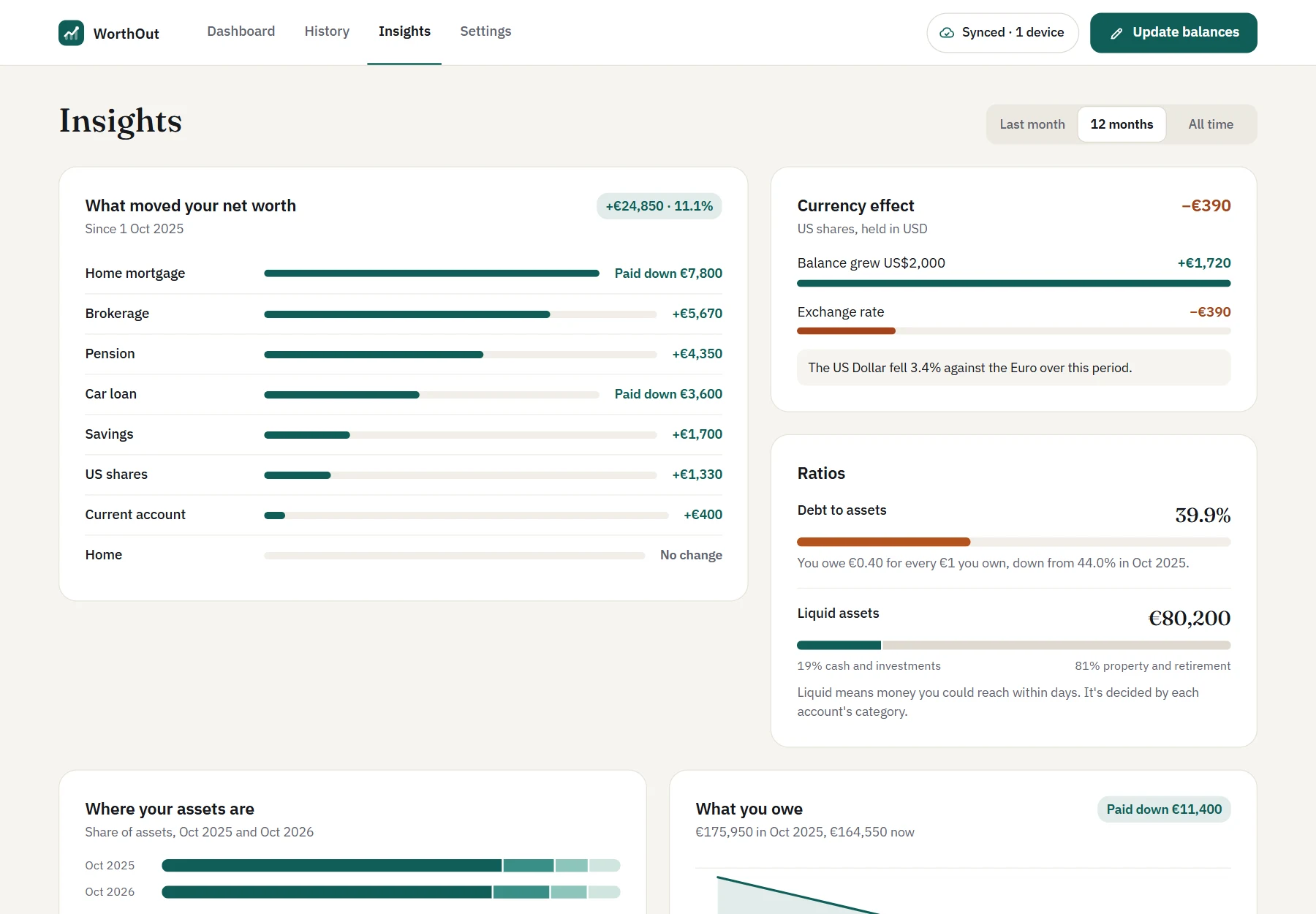
Keep accounts in other currencies. Central banks’ exchange rates are filled in for you each day, and you can always type your own.
Every device keeps a full copy, so WorthOut opens without a connection and syncs when it’s back.
Your phone, your browser and your desktop stay in step through your own storage.
Export to a spreadsheet or a complete backup at any time, free, and bring your history in from a spreadsheet.
Pricing
No subscription and no ads. Pay once if you want more, and it covers every device you use.
€0on one device
€9.99once, VAT included
Everything in Free, and:
Buy it in the Android app or the web app. Pro belongs to your vault, so it unlocks every device that opens it.
Get WorthOut
In any up-to-date browser, and it installs as a desktop app on Windows, Mac and Linux.
Open the web appThe iPhone app is coming soon.
Coming soonQuestions